Download and install on Windows 11
1) Make sure you are logged in. Right-click the button below and select „Save link as„ to download.
Get early access and the code
Go hard!
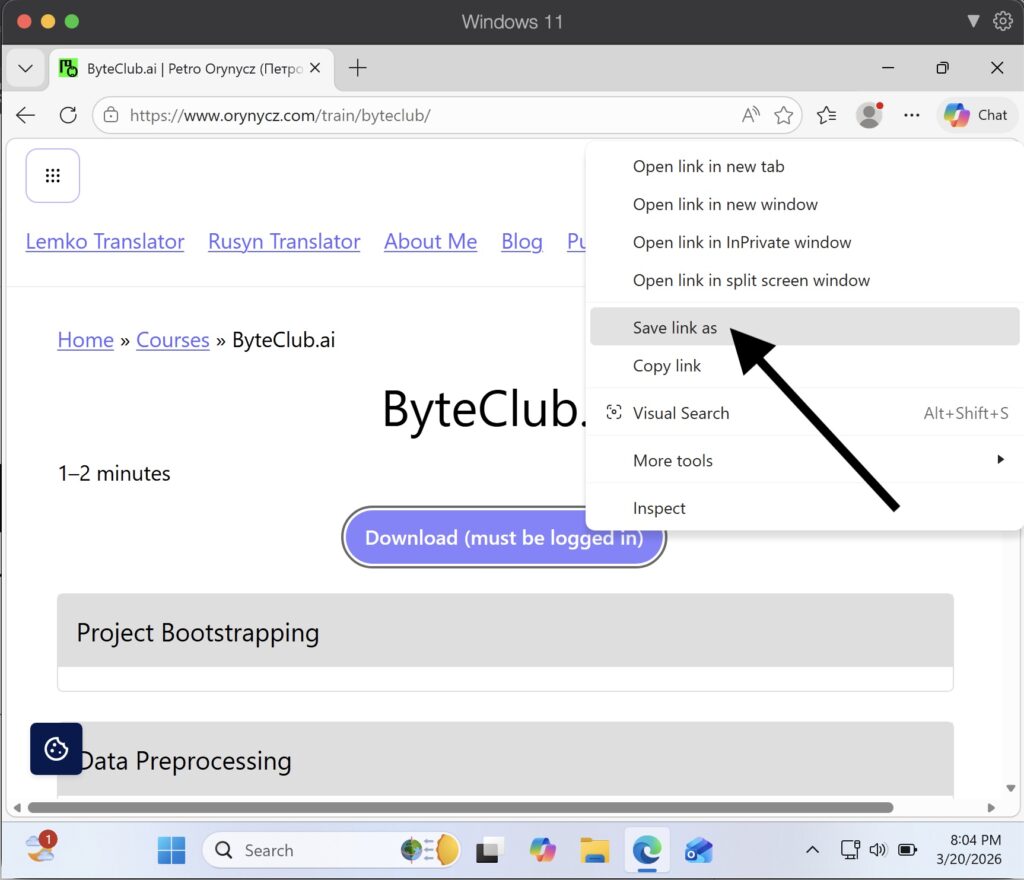
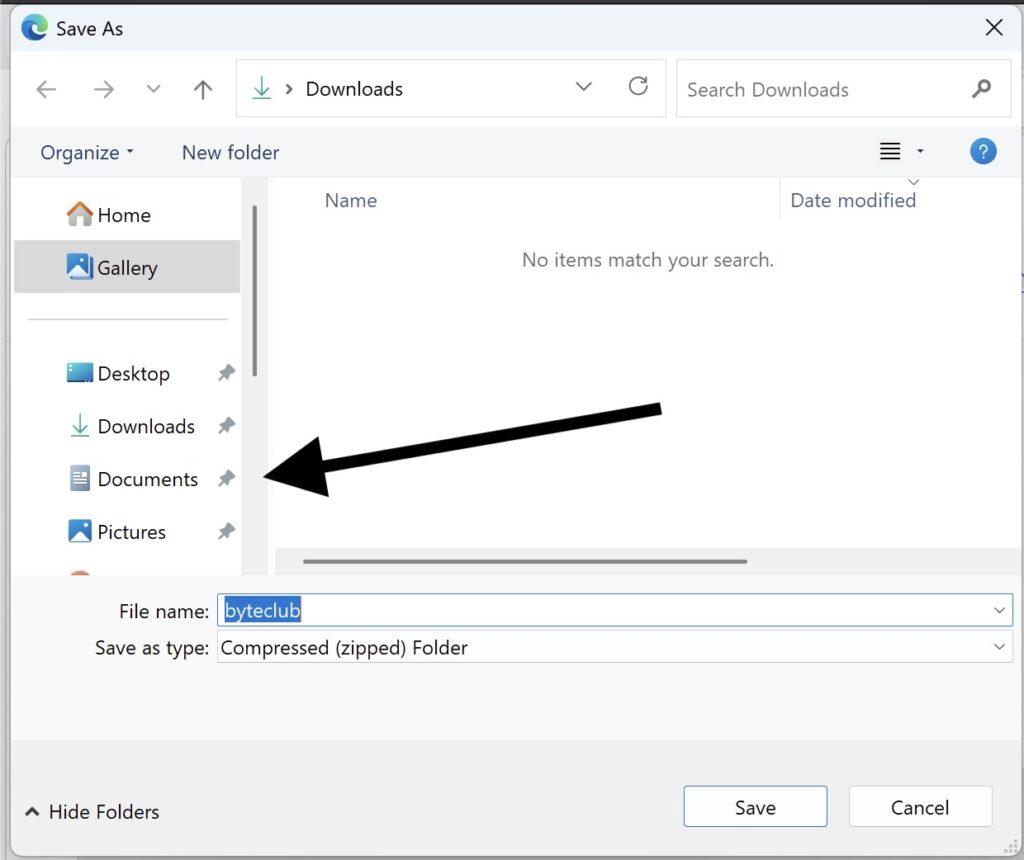
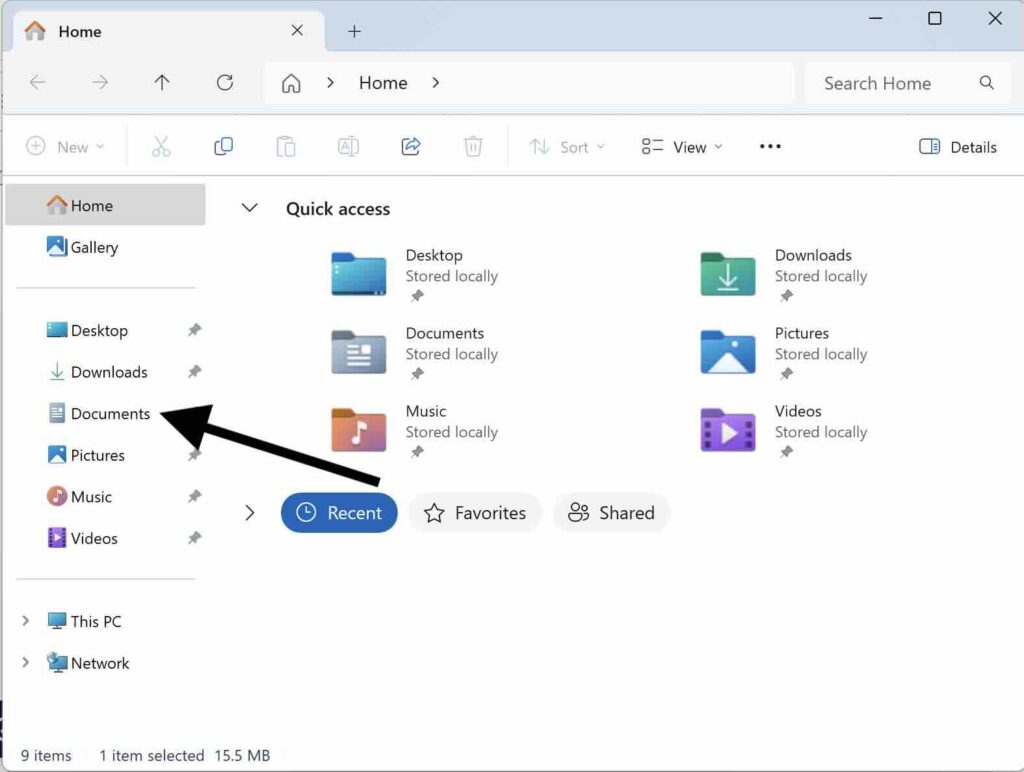
2) Select the „Documents„ folder from the left sidebar.
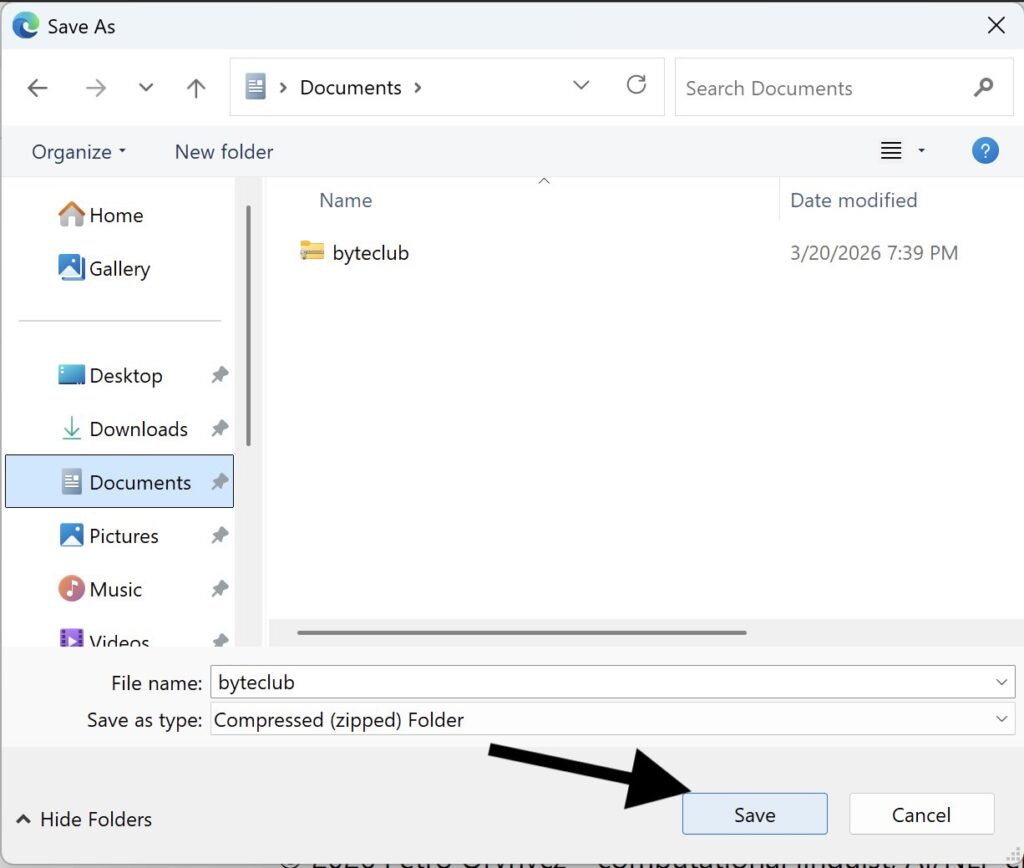
3) Click the „Save„ button in the lower right hand side of the window.
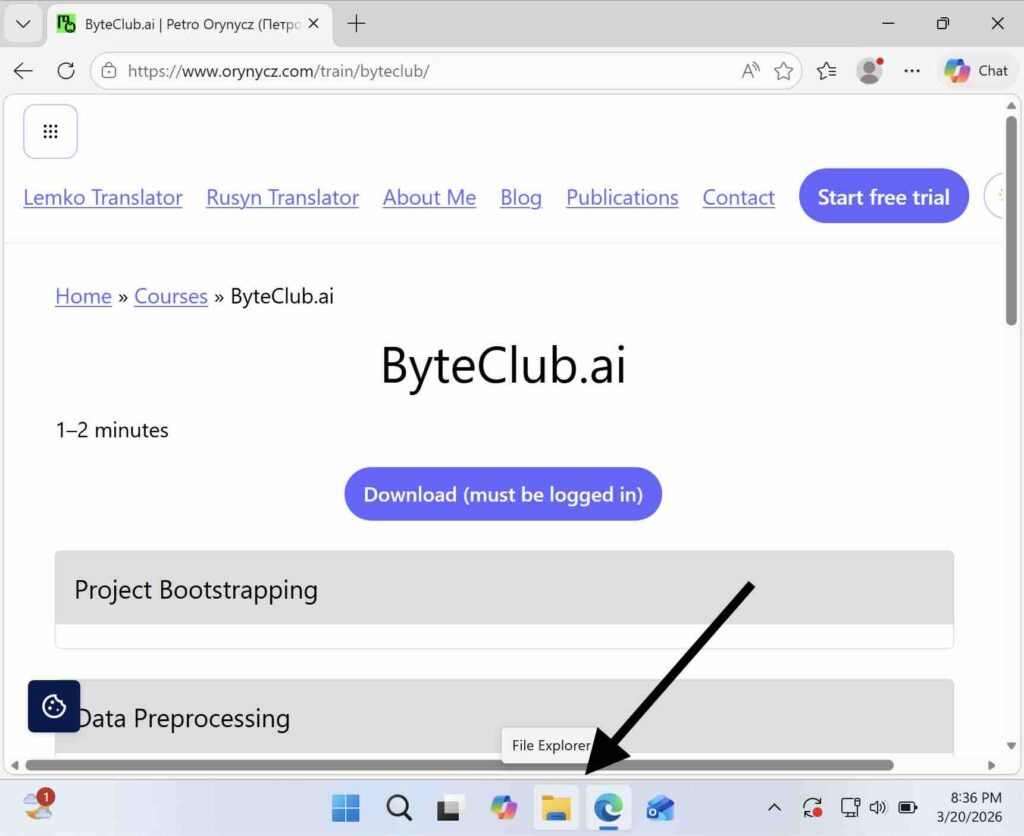
4) Click the „File Explorer„ icon on the taskbar at the bottom of the screen.
5) Select the „Documents„ folder on the left sidebar.
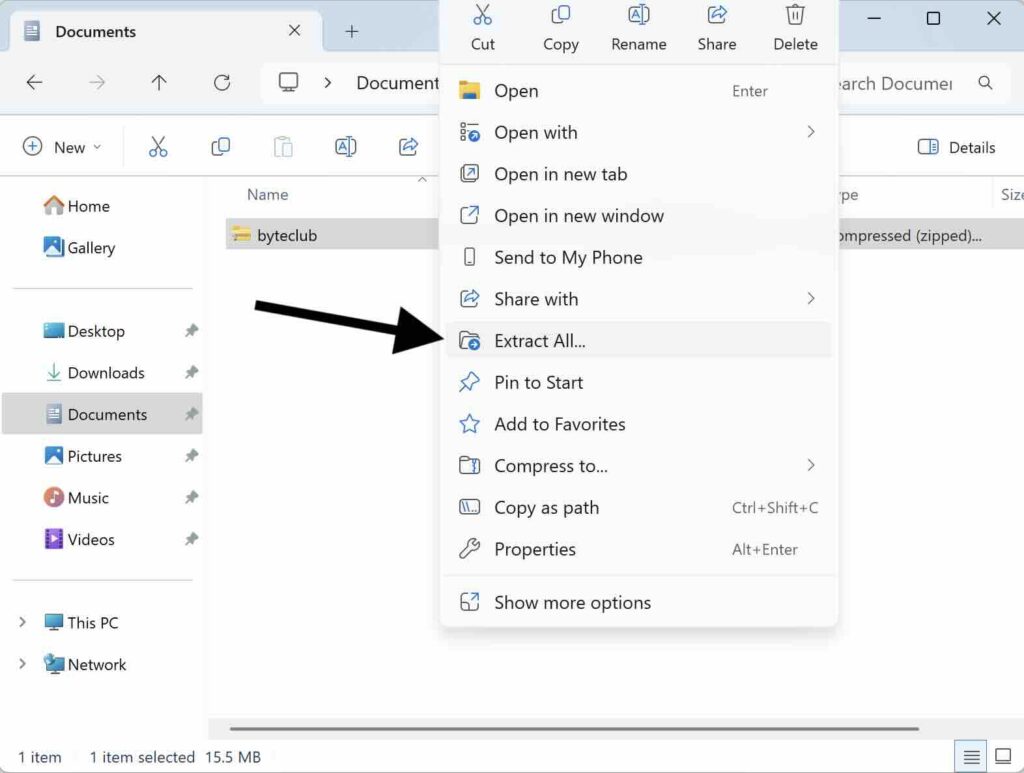
6) Select the file byteclub. Right-click on the selected row and select „Extract All…„ from the context menu.
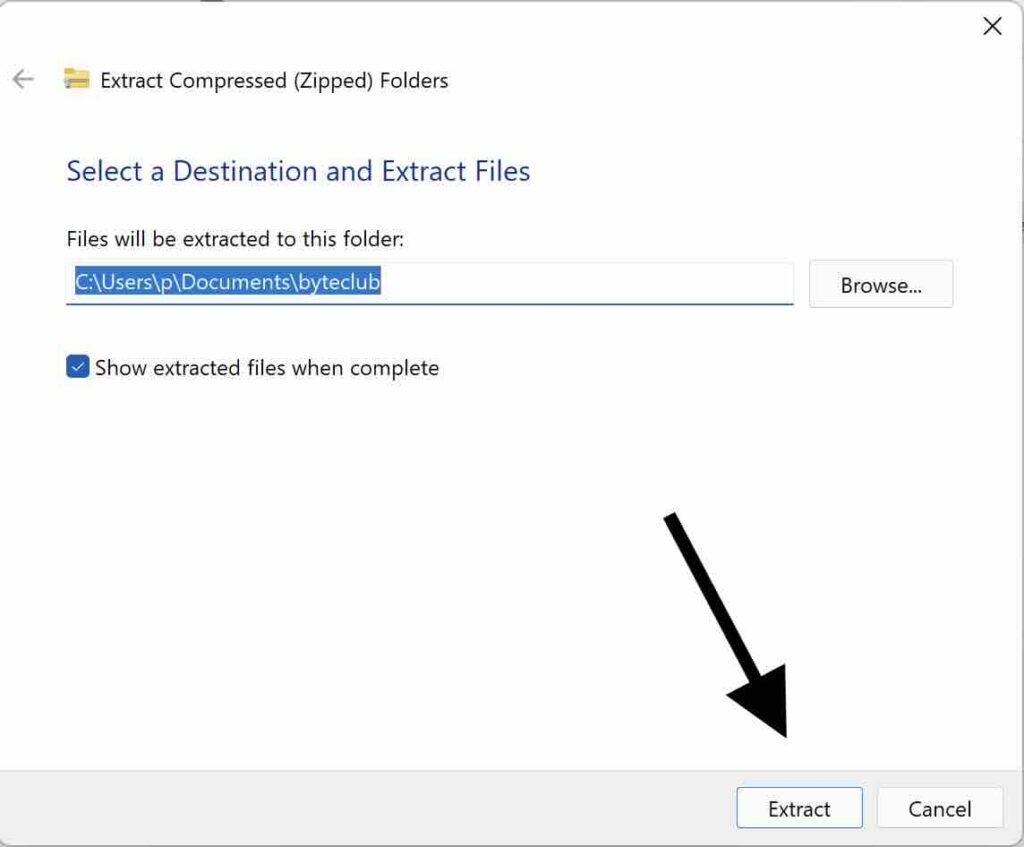
7) Click the „Extract„ button at the bottom of the window.
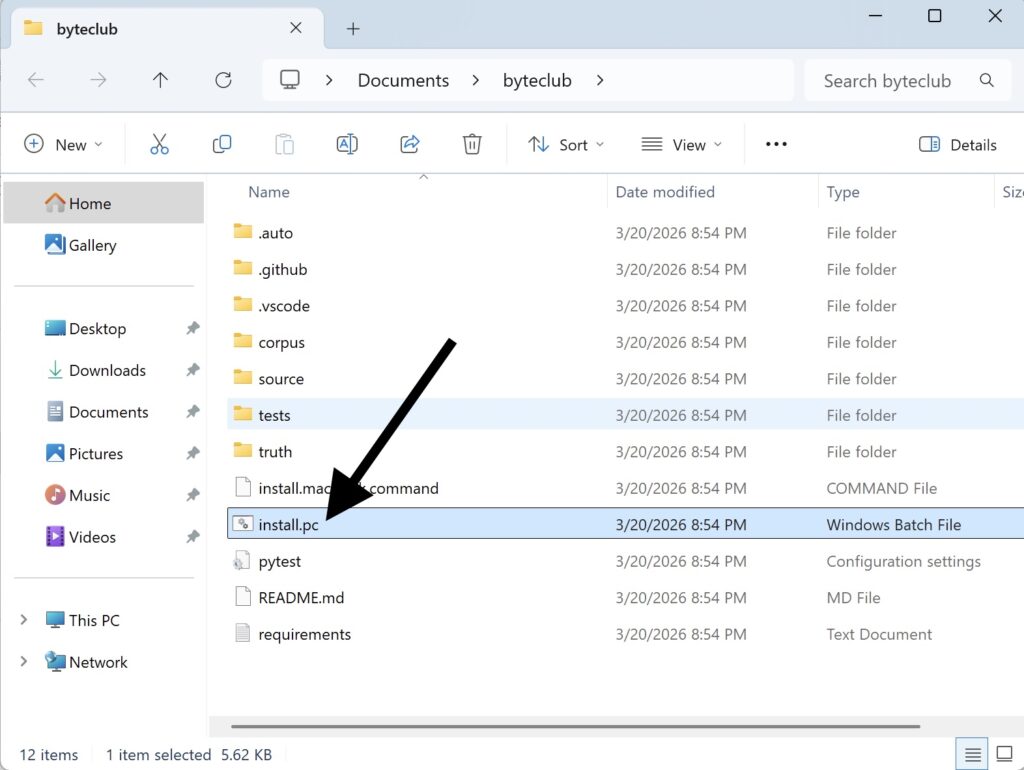
8) Double click the file install.pc
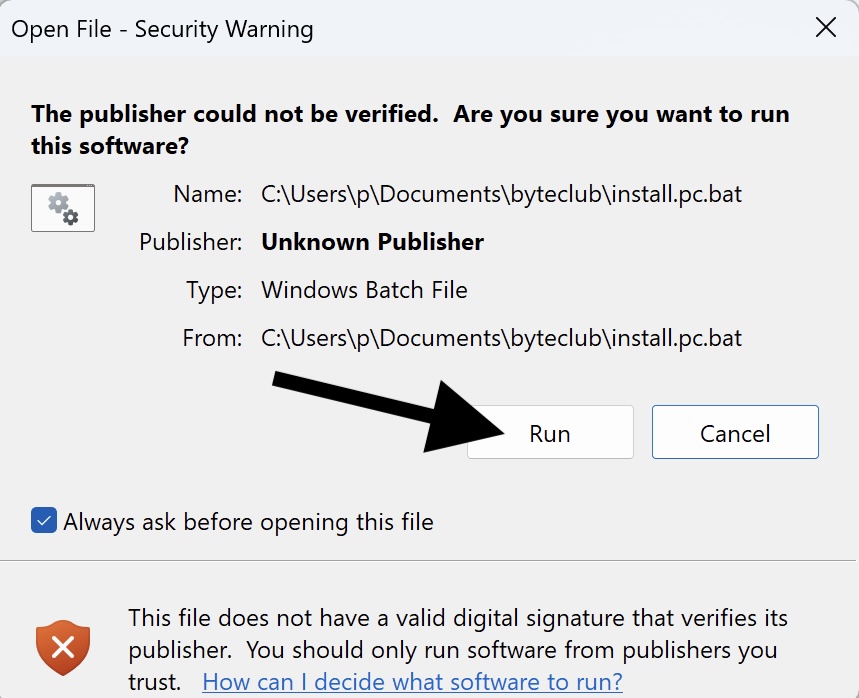
9) If a Security Warning window appears, click „Run„.
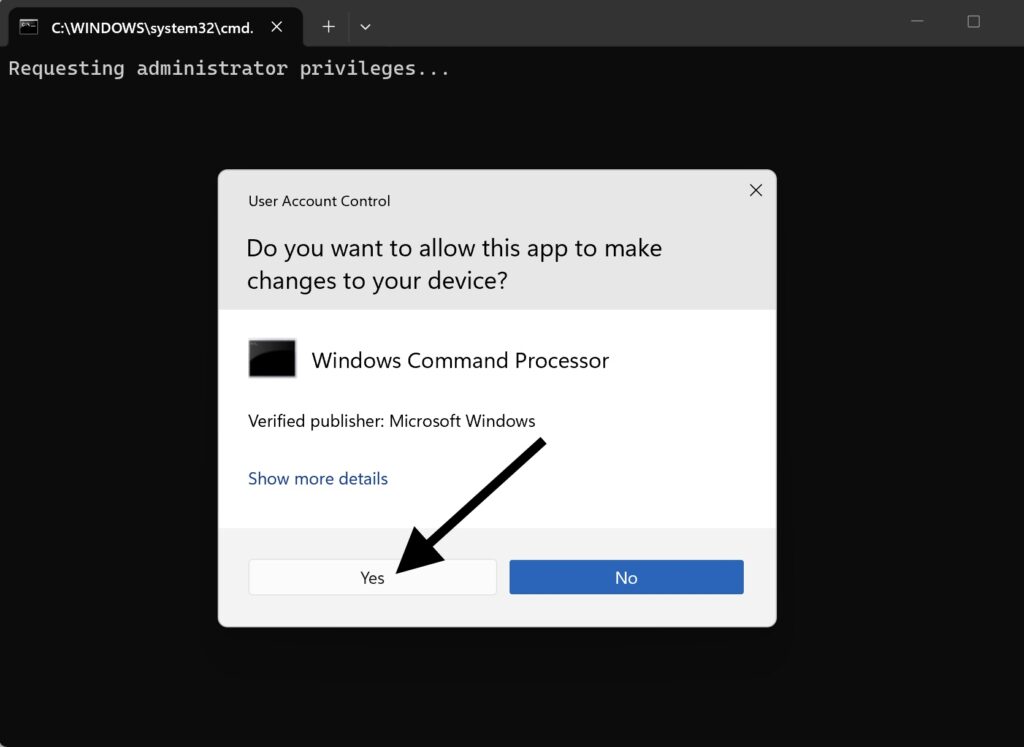
10) When asked to allow the app to make changes to your device, click „Yes„.
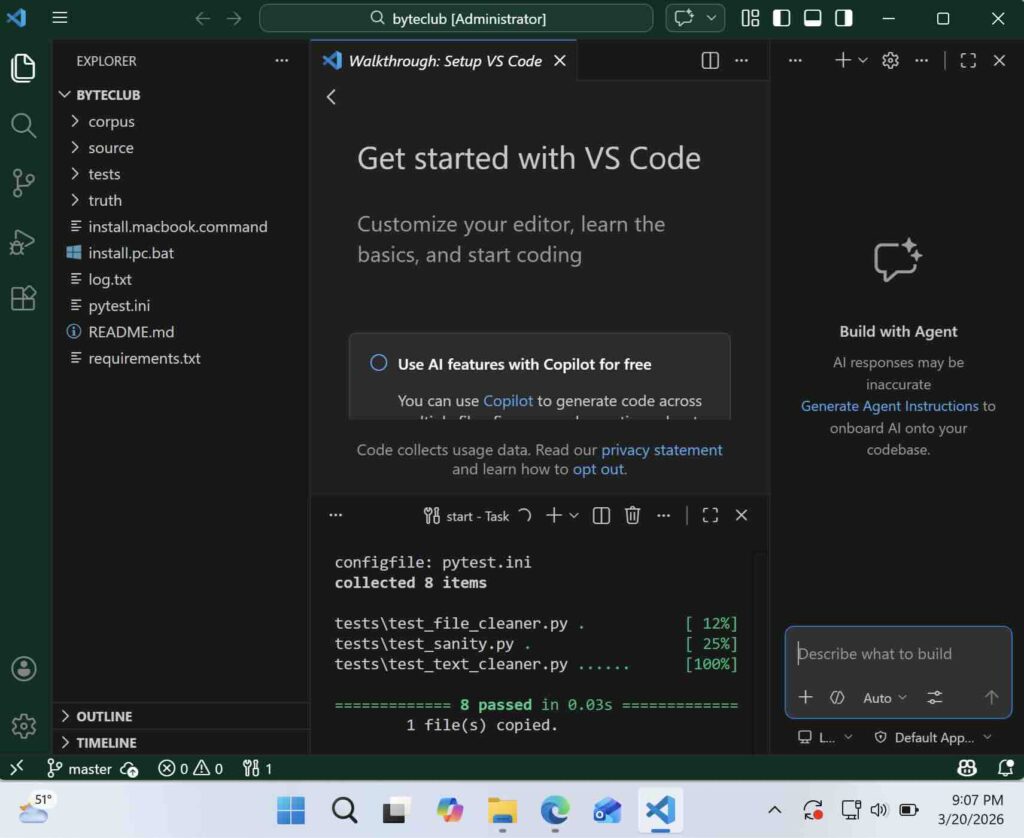
11) Installation will take a few minutes. If it takes more than ten minutes, reach out for help. If you see green, you are all set.
Ready to go hard?
Get early access to ByteClub.AI Core Training.